Understand yesterday. Prepare for tomorrow. Spend confidently today.
My Money Center is a personal money management app for tracking income and expenses, managing everyday checking-account activity, and looking ahead at the bills and income still to come. Budgets are available if you want them, but the app is built around understanding your whole day-to-day money picture.
Transaction history and reports help you see where your money went instead of relying on memory or guesswork.
Enter and manage income and expenses
Organize transactions by category and name
Search Past Transactions or every transaction
Track cleared and uncleared transactions
Use reports and charts to spot patterns
Prepare for tomorrow
Forecast brings expected income and bills together so you can see what is already spoken for before it happens.
Create repeating income and bill schedules
See a running projected balance
Identify the lowest expected balance
Highlight important income deposits
Create and monitor monthly budgets
Spend confidently today
Safe Spending turns a complicated picture into a practical daily guide for how much you can spend without coming up short before your next primary income.
Choose the primary income deposit that resets the period
Account for bills and expenses due before that deposit
Protect an optional cushion
See how many spending days remain
Use the result as a guide, not a command
Forecast: see what is coming
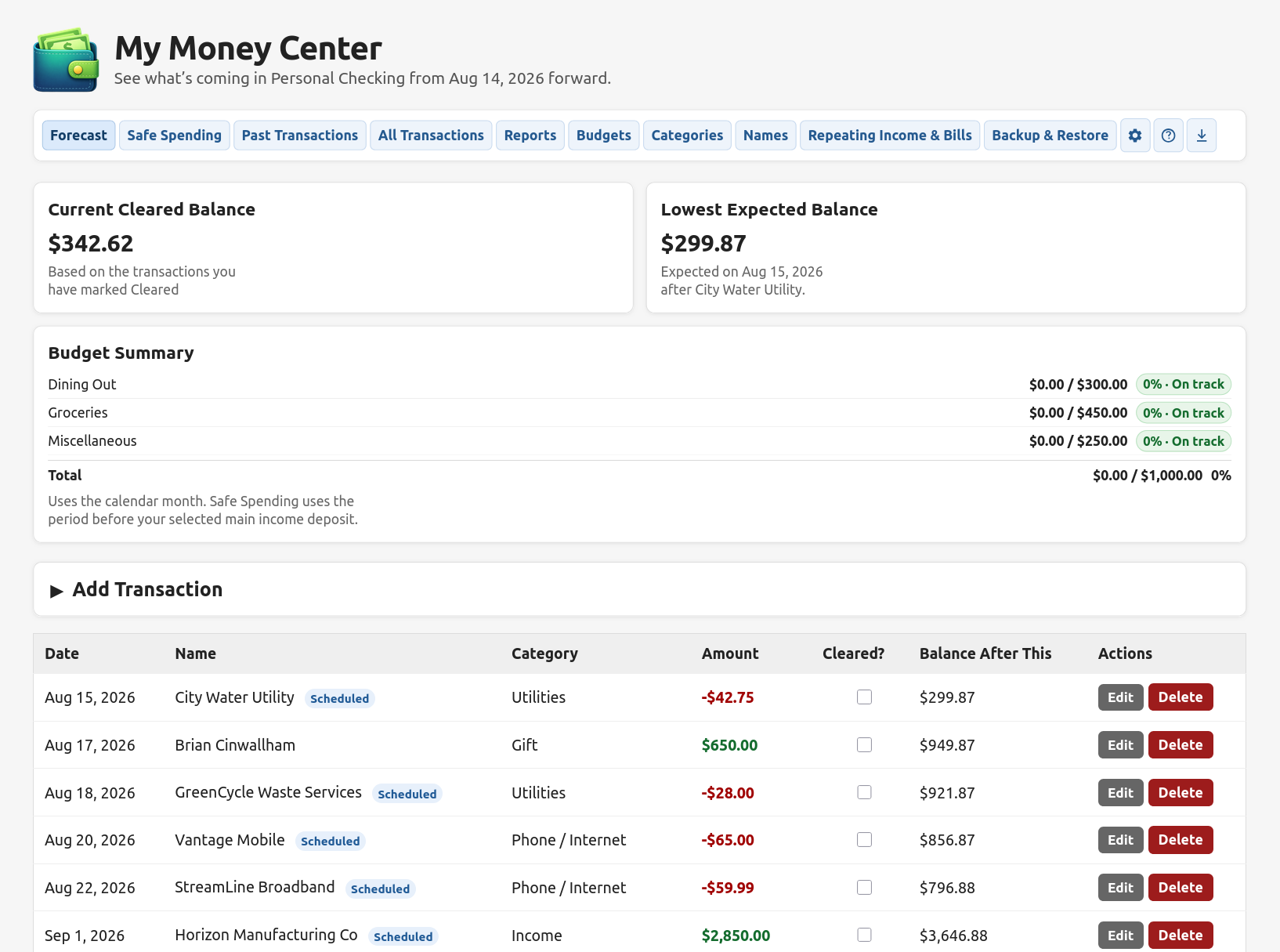
The Forecast is the center of My Money Center. It starts with your cleared balance, adds the income and bills you have already entered, and shows the projected balance after each upcoming transaction.
At a glance you can see your Current Cleared Balance, the Lowest Expected Balance ahead, current budget progress, scheduled transactions, and the running balance after each one. Important deposits can be highlighted so reset points are easy to spot.
The Forecast is intentionally honest about what it knows: it includes the transactions currently entered rather than pretending it can predict every grocery trip, tank of gas, or impulse purchase.
Forecast combines the money you have now with the income and bills you already know are coming.
Safe Spending: the practical number
Your bank balance can tell you what is in the account. It cannot tell you how much of that money is safe to use before the next main income deposit arrives.
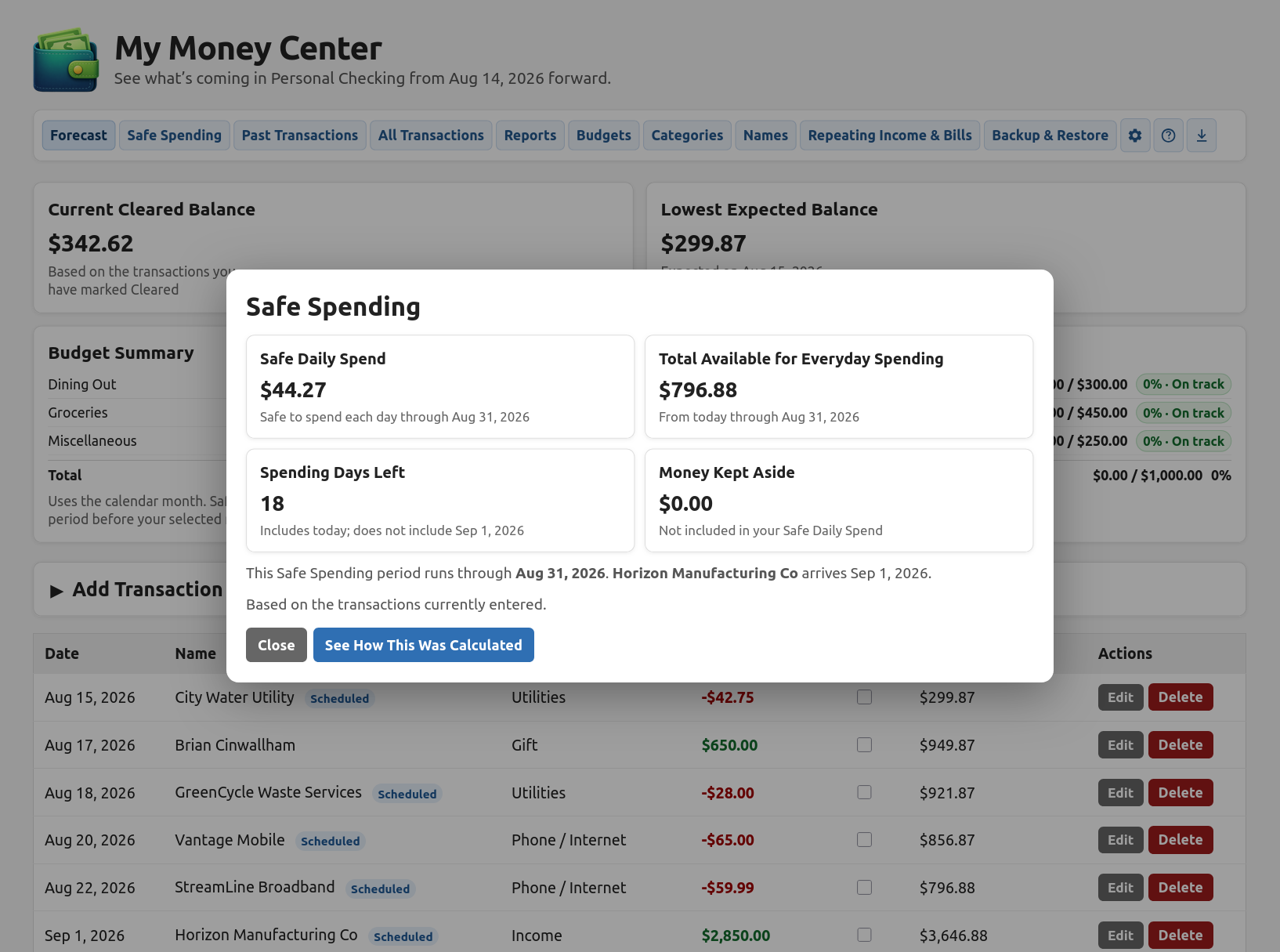
Safe Spending looks at the current balance, upcoming transactions before your chosen reset deposit, the number of days remaining, and any cushion you want to keep aside. It then shows both the Total Available for Everyday Spending and a Safe Daily Spend.
It does not tell you what you must spend. It gives you a clearer answer about what you can safely spend per day based on the information currently entered.
The Safe Spending popup explains the daily guide, the total available amount, the days left, and any money deliberately kept aside.
Repeating income and bills
Enter recurring income, rent, utilities, subscriptions, loan payments, insurance, and other repeating items once. My Money Center can automatically add their future occurrences to Forecast.
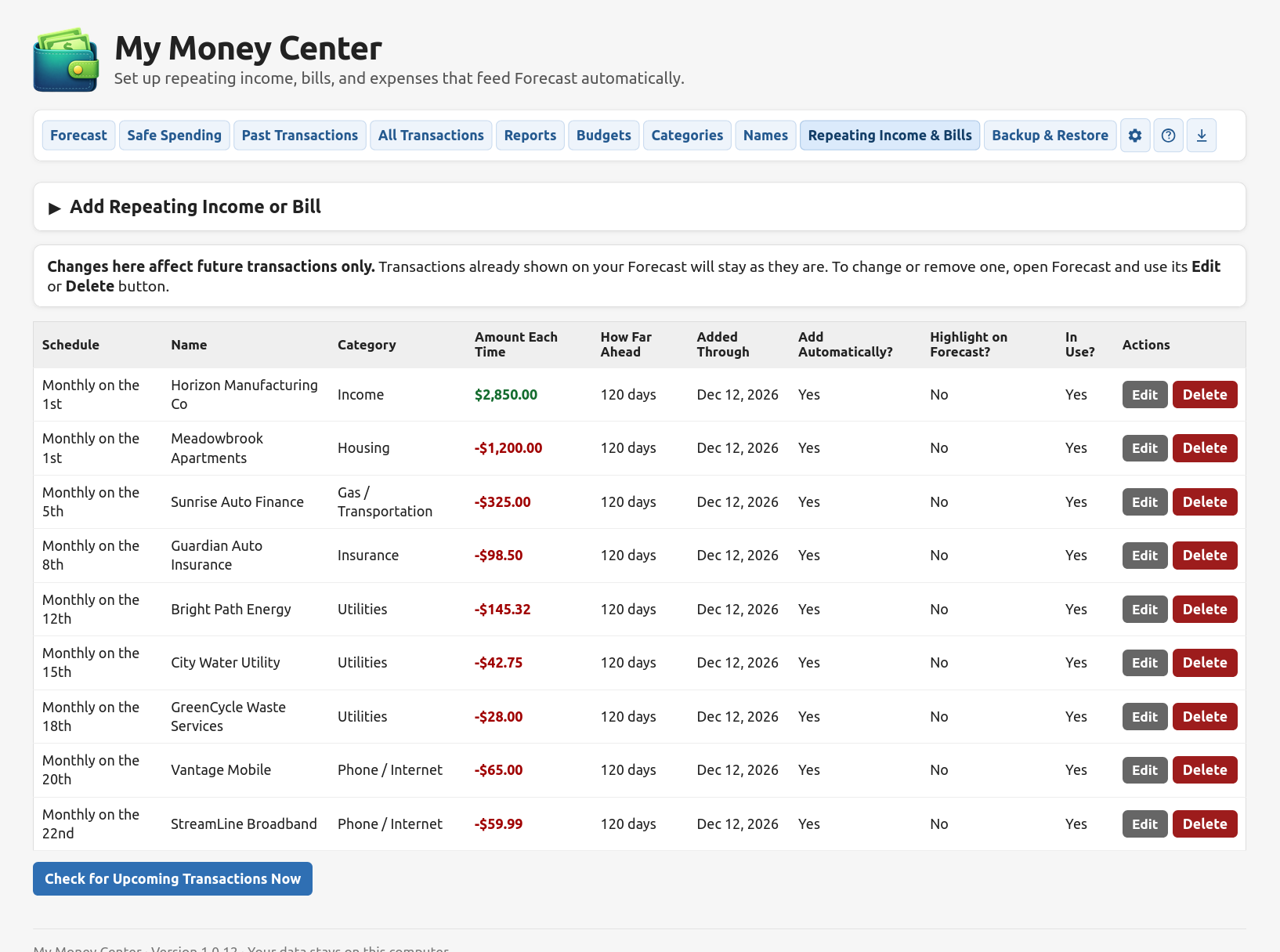
Scheduling supports common monthly patterns and other repeating rules. Each item shows how far ahead the app is filling, whether it is active, whether it adds transactions automatically, and whether it should be highlighted on Forecast. Changes to the repeating setup affect future generation; an individual Forecast occurrence can still be edited separately when real life varies.
Repeating Income & Bills keeps predictable money movement feeding Forecast without retyping it every month.
Budgets without making the whole app about budgets
Budgeting is optional. If it helps you manage your money, set monthly limits for the categories you care about. Budget progress appears both on the Budgets page and directly on Forecast, where it is most useful. Spending is based on cleared transactions for the calendar month, and refunds reduce the amount spent.
Find and manage transactions
Past Transactions
Search transactions dated before today by text, date range, cleared status, or how they were added. Results are paginated so long histories stay manageable.
All Transactions
Search the entire history—past, today, and future—in one place. Choose how many rows to show per page and move through the results without wrestling with an endless table.
Transactions can be edited on a dedicated edit page. Upcoming transactions can be marked cleared right from Forecast, and scheduled occurrences can be changed or removed without deleting the repeating setup behind them.
Reports that answer actual questions
Reports are phrased around the things you are likely to want to know instead of around accounting jargon. Available views include:
How much money came in and went out?
Where did my money go?
How much am I spending on everyday things?
How has spending in a category changed over time?
What income and bills are set to repeat?
What if something about my income or bills changed?
Show me everything
Date presets plus custom date ranges
Simple pie and bar charts where they help
Printable report layouts
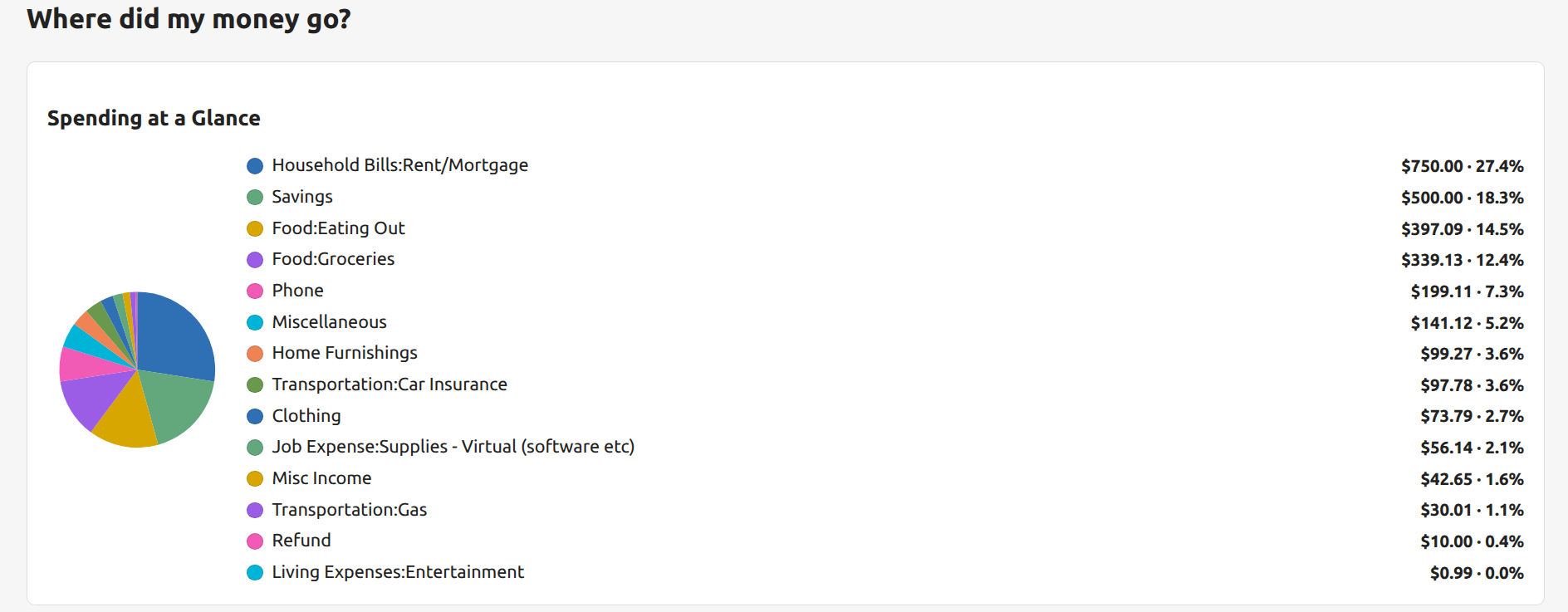
See spending by category at a glance, with both percentages and dollar totals.
Categories and Names that stay tidy
Categories describe the kind of money involved; Names identify who or what a transaction is connected to. Both can be renamed, and duplicates can be combined without deleting the transactions attached to them.
Management tables remain horizontally scrollable when the browser gets narrow so columns never simply disappear offscreen.
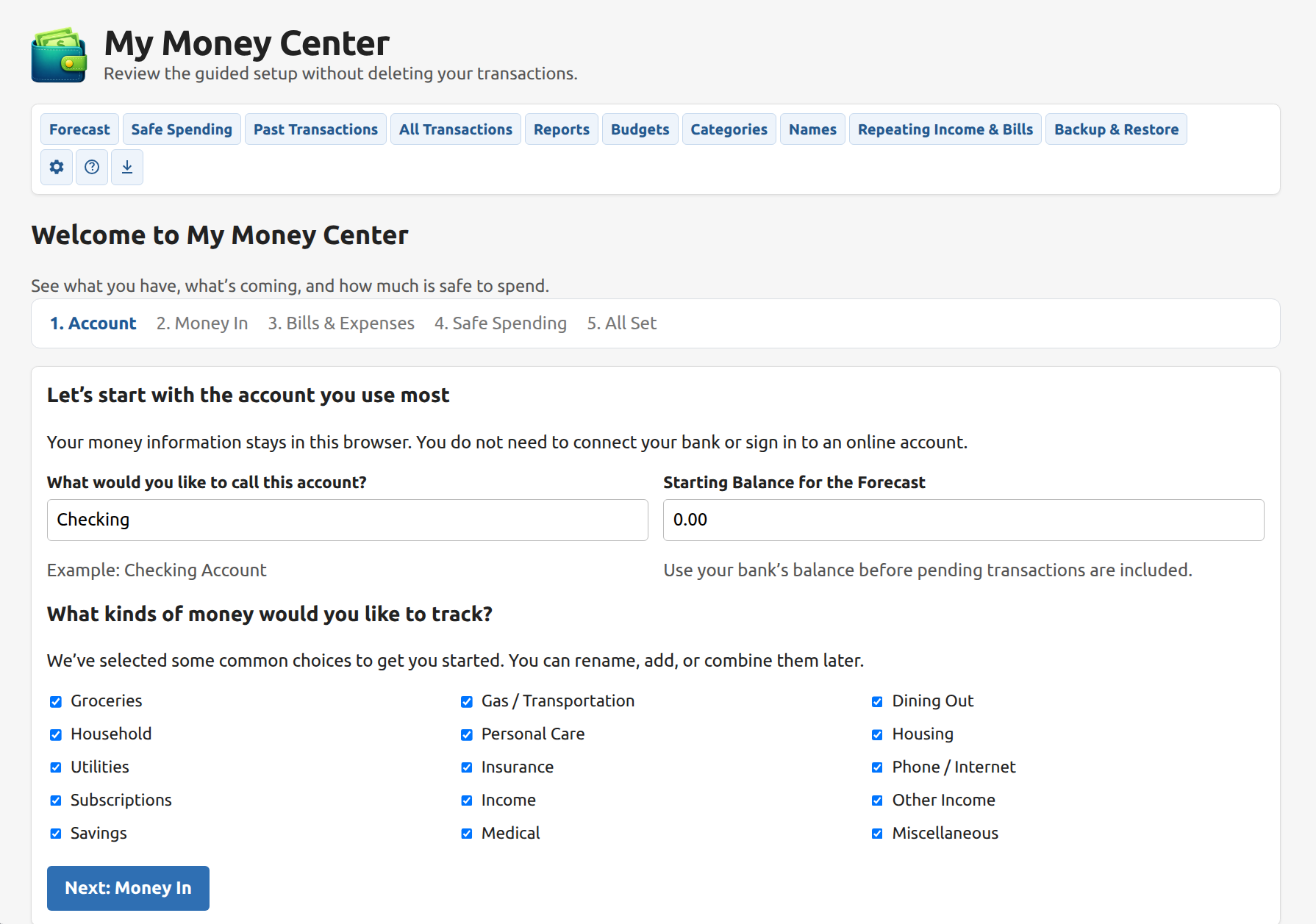
Guided setup without a bank connection
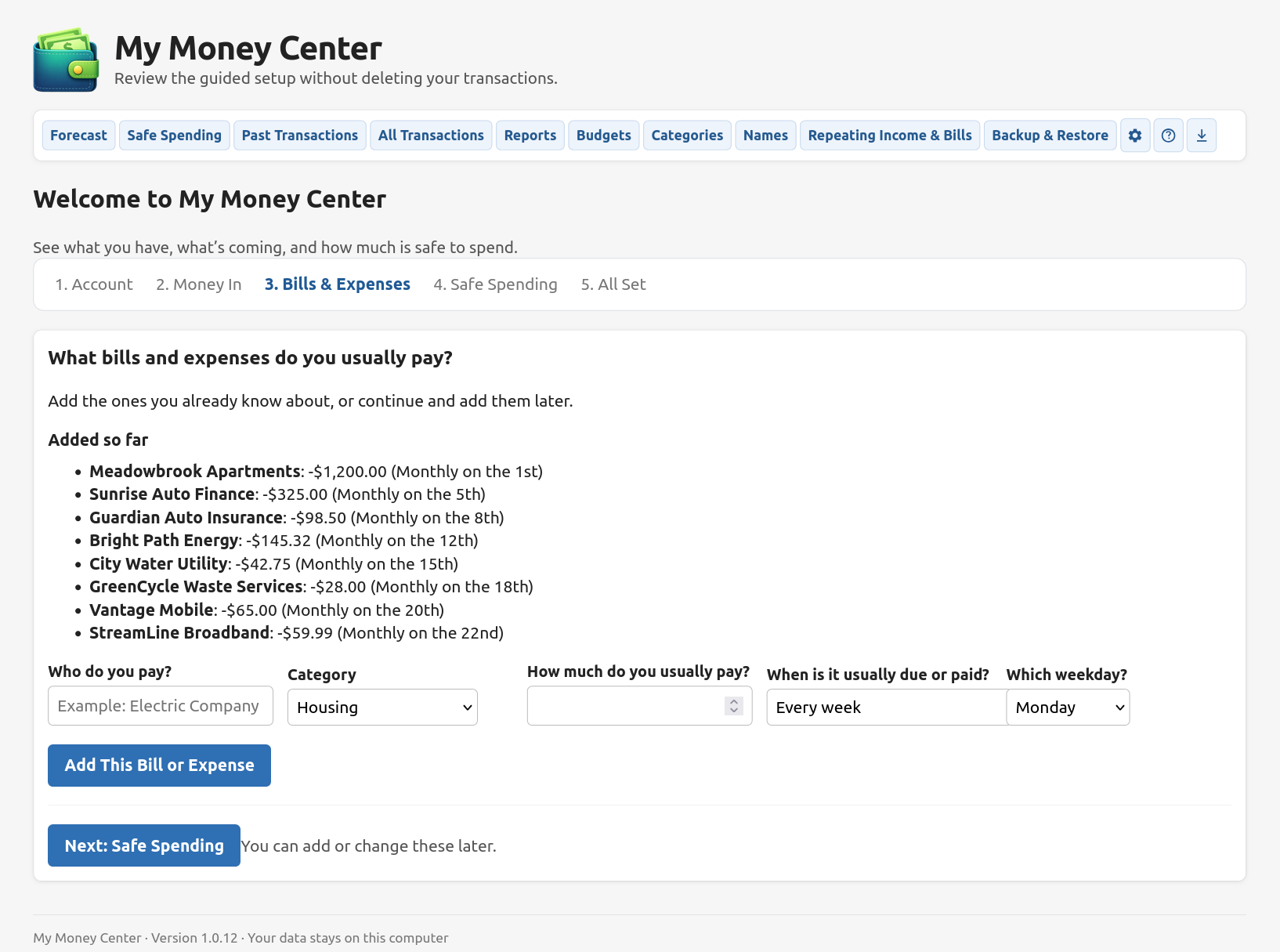
The Welcome wizard walks a new user through the account, income, bills and expenses, Safe Spending, and final setup. No bank login is requested because My Money Center does not connect to a bank.
Start with the account and the kinds of money you want to track.Add the predictable bills and expenses that should feed Forecast.
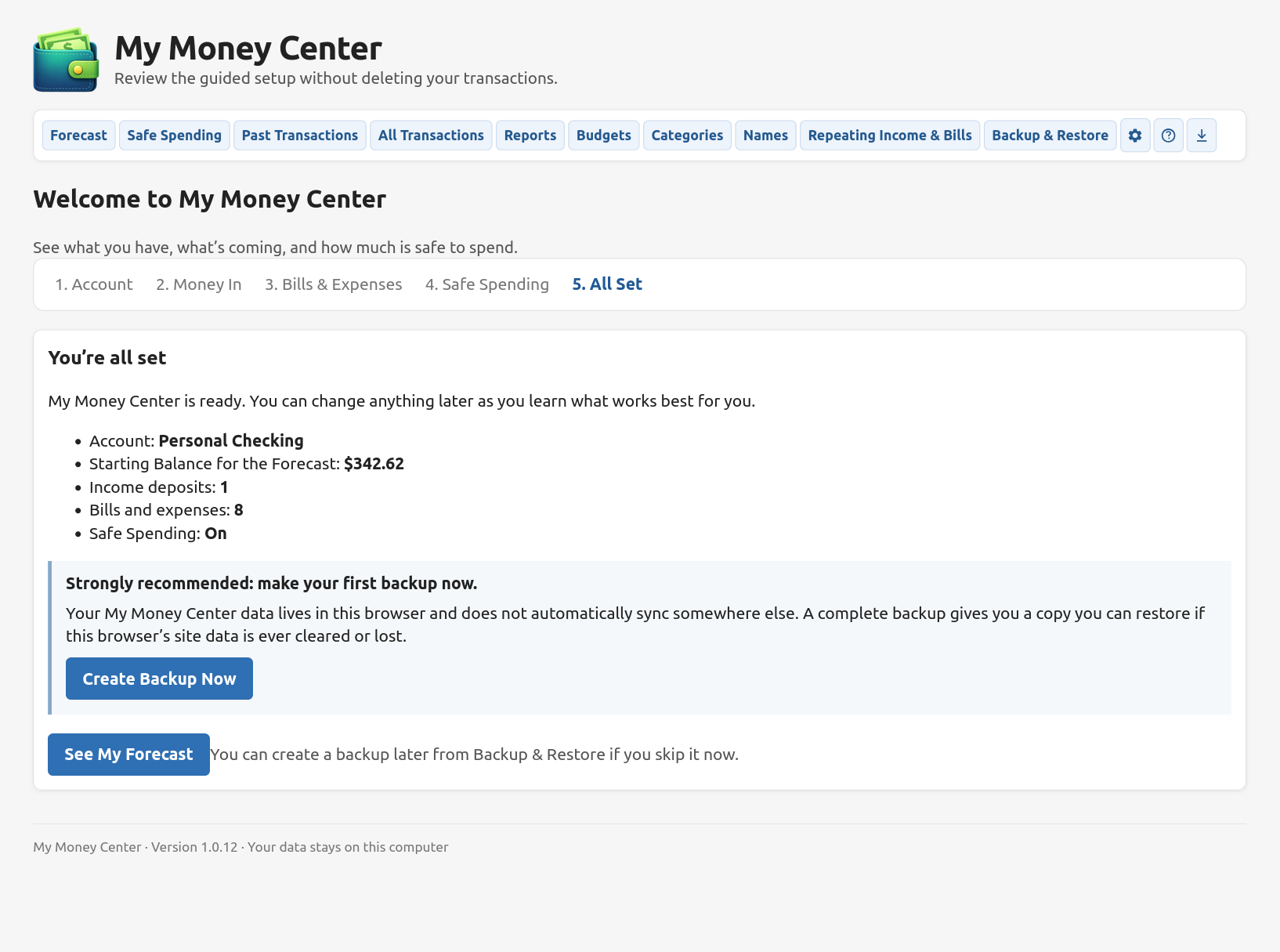
Backups are part of the setup, not an afterthought
A complete backup contains the information needed to restore the browser app, including transactions, categories, names, budgets, repeating items, and settings. At the end of Welcome, My Money Center strongly recommends making a first backup immediately.
A CSV export is also available for spreadsheet use, but a CSV is not a complete backup.
New users are prompted to create a complete backup as soon as setup is finished.
Private, local, cross-platform, and offline-capable
No bank connection
No My Money Center login
No server-side financial database
Local browser storage
Your financial information is stored in IndexedDB inside the browser profile you are using. Opening My Money Center in another browser or on another device does not automatically bring that data with you.
Use it on the computer you already have
Because the app runs in a modern browser, there is no Linux package or Windows installer to maintain. The same web app can be used from Windows, macOS, Linux, or a Chromebook.
Works offline after first use
The app caches the files it needs. After it has been opened online, you can continue using it when the internet is unavailable; your financial data was local already.
More useful details
Clear and uncleared transaction tracking
Optional transaction highlighting and labels
Current and lowest projected balances
Flexible Forecast length
Optional Safe Spending cushion
Search by name, category, note, or reference
10 / 25 / 50 / 100 rows per page on long transaction tables
CSV transaction export
Complete backup and restore
Review or change setup without deleting data
Erase Everything & Start Over with a safety backup
Built-in Help and technical details
Understand yesterday. Prepare for tomorrow. Spend confidently today.