Windows, Mac, Linux, Chromebook
If you have a modern browser, you can use My Money Center without installing a special desktop package.
See what you have, what is coming, and what you can spend today without coming up short later.
A private, browser-based money app that helps you understand your money without bank connections, logins, complicated financial language, or constant mental math.
My Money Center is a private personal money manager that helps you track income and expenses, plan for upcoming bills, and know how much you can spend each day without coming up short before your next paycheck.
Use it to manage your checking account and everyday money, keep up with recurring income and bills, look ahead at projected balances, and create a budget if you want one. Unlike many personal finance apps, My Money Center does not connect to your bank or focus on investments, credit scores, or financial products. You enter the information you want to track, and it stays in your browser on your device.
Your bank can tell you how much money is in your account. It cannot tell you how much of that money is already needed for rent, utilities, insurance, groceries, and everything else coming before your next primary income arrives.
My Money Center looks ahead at the money you expect in and out, accounts for what is due before your next primary income deposit, and turns that into something useful right now: a clearer picture of what is coming and a Safe Daily Spend for flexible everyday expenses.
My Money Center runs in your browser, but your financial data is not stored on the My Money Center server. It stays in that browser profile on your device.
Because the data lives in your browser, backups matter. My Money Center includes complete backup and restore tools and strongly recommends making your first backup during setup.
If you have a modern browser, you can use My Money Center without installing a special desktop package.
After you have opened the app online, its core files are cached so you can keep using it even when your internet connection disappears.
Different browsers and devices keep separate local data. Use a complete backup to move your data or restore it somewhere else.
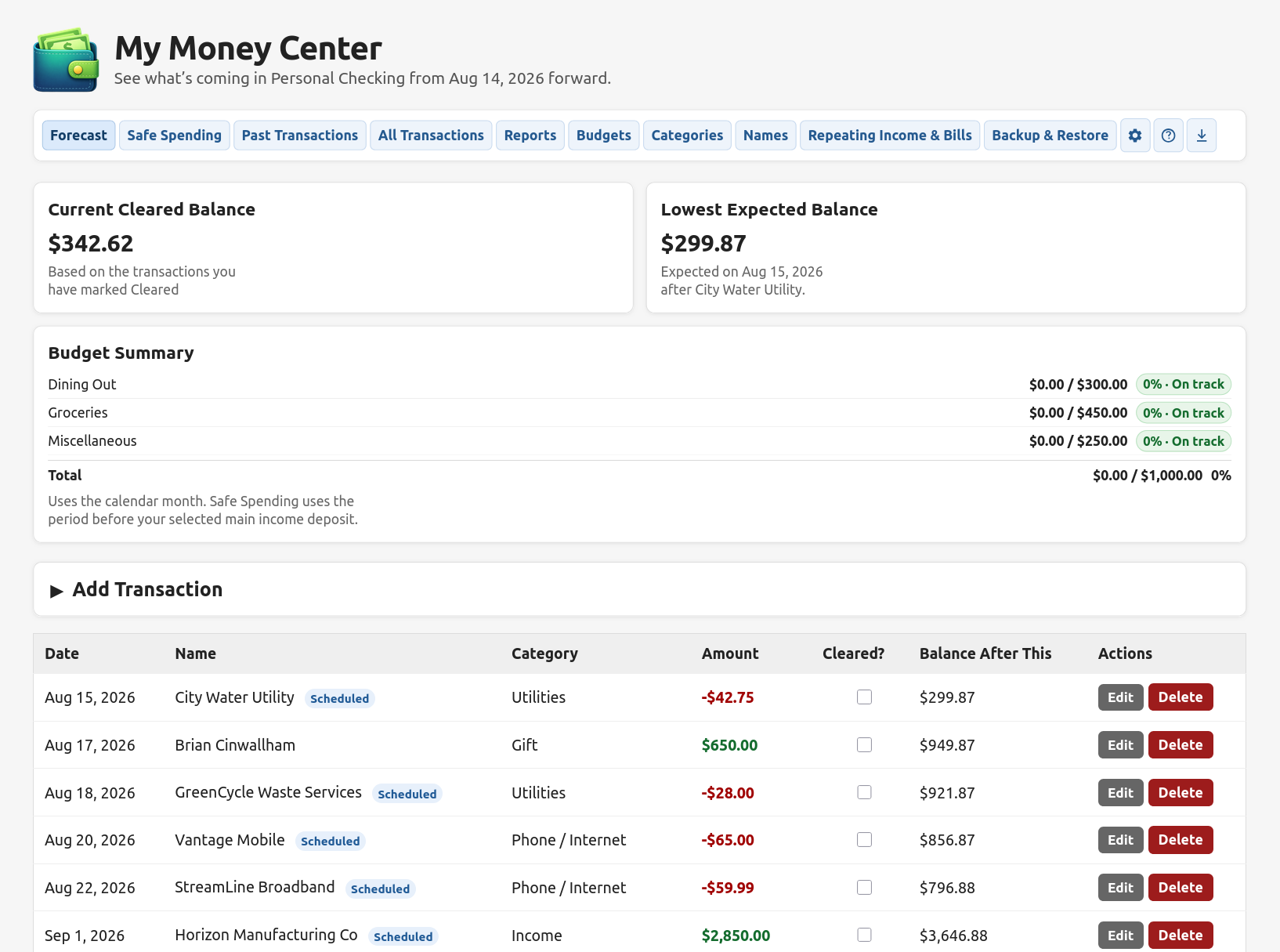
Forecast brings your current balance, upcoming income and bills, budget progress, and projected balances into one place.
My Money Center grew out of a simple frustration: knowing my account balance still did not tell me how much I could spend today without using money I would need before my next paycheck.
I wanted one place that could look at what was already cleared, what was still coming, when the next primary income would arrive, and what that meant for today. That idea became Forecast and Safe Spending, then grew into optional budgets, reports, repeating income and bills, backups, and the rest of My Money Center.